Formulas
Compute a property from other properties with Notion-style formulas: variables, lists, dates, text, regular expressions, styled output, and a function reference.
A formula property computes its value from the row's other properties: the days left until a due date, a label that turns red when something is overdue, or a count of the contacts a row links to. Pages formulas use Notion's Formulas 2.0 language, so a formula you wrote in Notion works here, and Obsidian Bases function names work as alternatives. Formulas are worked out by Dhaga, never by running code you paste in.
Write a formula
Add a Formula property to a database and open it. Type the formula; its result for the first few rows shows as you type, and a mistake shows an error that points at the problem. A formula can be up to 10,000 characters long.
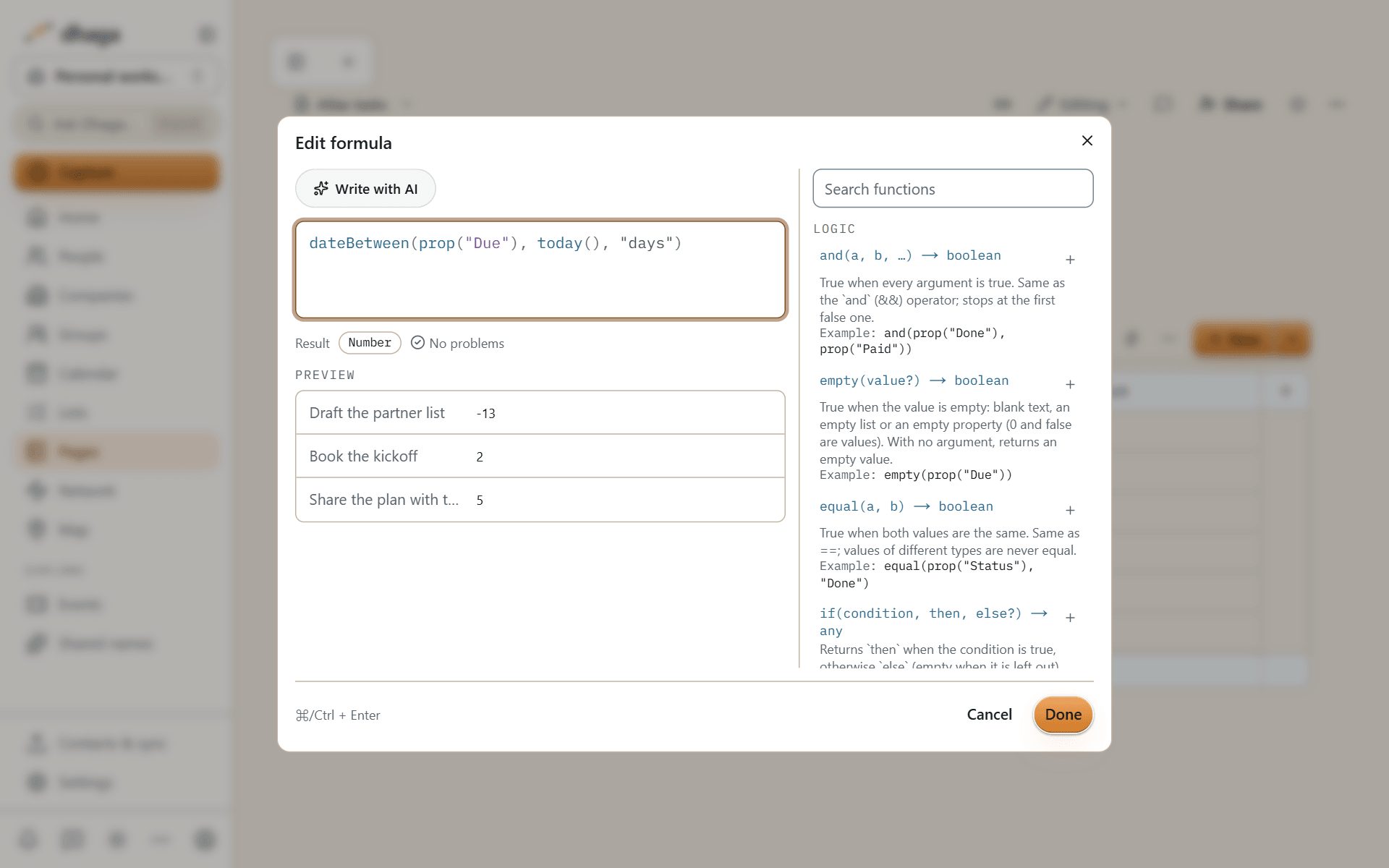
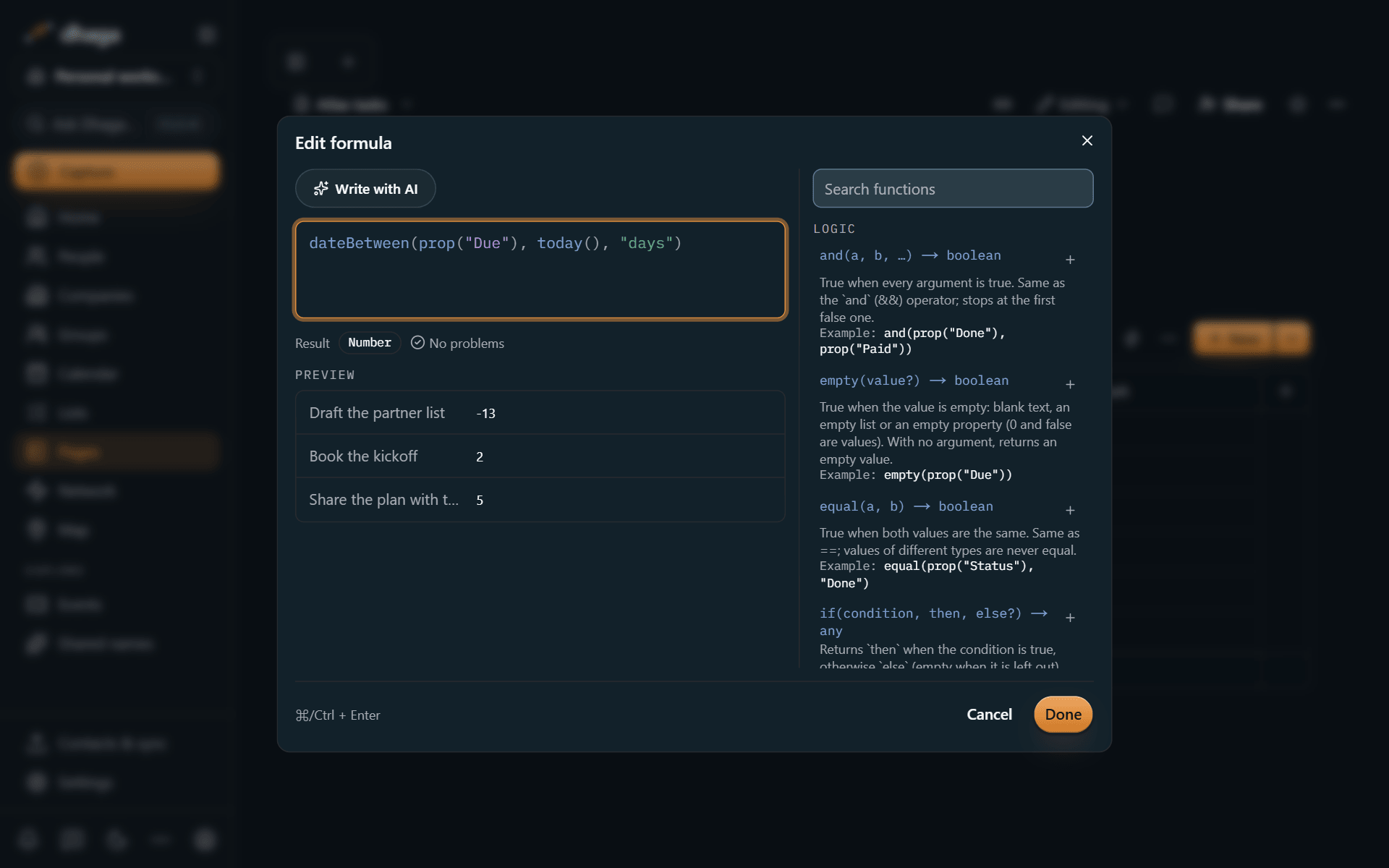
Refer to another property with prop("Name"). A few complete formulas:
// Days until the due date
dateBetween(prop("Due"), today(), "days")

// A label that changes with the status
if(prop("Status") == "Done", "Done", "Open")

// Name a value once, then use it
let(left, dateBetween(prop("Due"), today(), "days"),
  ifs(left < 0, style("Overdue", "b", "red"),
      left == 0, "Due today",
      format(left) + " days left"))

// How many scores in a list are above 7
prop("Scores").filter(current > 7).length()
Can't remember a function? Describe what you want in plain English and the formula writer drafts it for you. It uses AI credits; writing formulas yourself does not.
Operators
| Operator | Meaning |
|---|---|
+ - * / % ^ | Add, subtract, multiply, divide, remainder, power. + also joins text |
== != | Equal, not equal |
> >= < <= | Comparisons on numbers, dates and text |
and or not | Logic. &&, ` |
? : | A short if: prop("Done") ? "Yes" : "No" |
Function reference
Logic
| Function | Example | Result |
|---|---|---|
if | if(prop("Score") > 7, "High", "Low") | One of two values |
ifs | ifs(prop("Score") > 7, "High", prop("Score") > 4, "Mid", "Low") | The first value whose condition is true |
empty | empty(prop("Email")) | true when the value is blank |
and, or, not | and(true, false) | false: the same as the operators |
equal, unequal | equal(1, 1) | true: the same as == and != |
let | let(x, 2, x * x) | 4: names a value for the rest of the formula |
lets | lets(a, 1, b, 2, a + b) | 3: names several values |
Numbers
| Function | Example | Result |
|---|---|---|
round, ceil, floor | round(3.14159, 2) | 3.14 |
abs, sign | abs(-4) | 4 |
sqrt, cbrt, pow, exp | pow(2, 10) | 1024 |
ln, log10, log2 | log10(1000) | 3 |
min, max, sum, mean, median | sum(1, 2, 3) | 6 |
mod | mod(10, 3) | 1 |
toNumber | toNumber("42") | 42 |
toFixed | toFixed(3.1, 2) | "3.10" as text, with exactly that many decimals |
pi, e | pi() | 3.14159... |
add, subtract, multiply, divide | add(2, 3) | 5: the same as + - * / |
format | format(42) | "42" as text. Given a date it also takes a pattern, like formatDate |
Text
| Function | Example | Result |
|---|---|---|
length | length("Atlas") | 5 |
contains | contains(prop("Title"), "Atlas") | true or false. Works on lists too, and includes is another name for it |
containsAll, containsAny | containsAny(prop("Title"), "Atlas", "Beta") | true when the text or list holds every, or at least one, of the values |
startsWith, endsWith | startsWith(prop("Title"), "Q3") | true or false |
trim, title | title("north wind") | "North Wind" |
escapeHTML | escapeHTML("a & b") | The text with &, angle brackets and quotes made safe for HTML |
substring, slice | substring("Northwind", 0, 5) | "North" (slice also takes negative positions) |
lower, upper | upper("atlas") | "ATLAS" |
repeat | repeat("★", prop("Rating")) | "★★★" for a rating of 3 |
padStart, padEnd | padStart("7", 3, "0") | "007" |
split | split("a,b,c", ",") | A list of three items |
link | link("Docs", "https://example.com") | A clickable link |
style, unstyle | style("Overdue", "b", "red") | Bold red text |
Regular expressions
| Function | Example | Result |
|---|---|---|
test | test(prop("Email"), "@example\\.com$") | true when the pattern matches |
match | match("Order 1234", "[0-9]+") | A list of matches: ["1234"] |
replace | replace("2026-10-12", "-", "/") | Replaces the first match |
replaceAll | replaceAll("2026-10-12", "-", "/") | "2026/10/12" |
Dates
| Function | Example | Result |
|---|---|---|
now, today | today() | Today's date (now() includes the time) |
dateAdd, dateSubtract | dateAdd(prop("Start"), 2, "weeks") | A date two weeks later |
dateBetween | dateBetween(prop("Due"), today(), "days") | Days from today to the due date |
dateRange, dateStart, dateEnd | dateEnd(prop("Sprint")) | The end of a date range |
formatDate | formatDate(prop("Due"), "D MMMM YYYY") | "6 November 2026" |
parseDate | parseDate("2026-11-06") | A date |
year, month, week, date, day, hour, minute | year(today()) | 2026. month is 1 to 12, week the ISO week, date the day of the month and day the day of the week (0 is Sunday) |
duration | today() + duration("1 week") | A length of time to add to or subtract from a date |
timestamp, fromTimestamp | timestamp(prop("Due")) | Milliseconds since 1970 |
Units for dateAdd, dateSubtract and dateBetween are years, quarters, months, weeks, days, hours, minutes, seconds and milliseconds. Adding a month to 31 January gives the last day of February.
Lists
Lists come from multi-selects, relations, rollups, people properties and split. Inside map, filter and the other list functions, current is the item being looked at and index is its position.
| Function | Example | Result |
|---|---|---|
at, first, last | first(prop("Tags")) | The first item |
slice, concat | slice(prop("Tags"), 0, 2) | The first two items |
sort, reverse, unique, flat | unique(prop("Tags")) | The list without repeats |
join | join(prop("Tags"), ", ") | One piece of text |
list | list(prop("Tags")) | The value as a list: a single value becomes a one-item list |
includes | includes(prop("Tags"), "urgent") | true or false |
find, findIndex | find(prop("Scores"), current > 7) | The first item that matches |
filter | filter(prop("Scores"), current > 7) | Every item that matches |
map | map(prop("Scores"), current * 10) | Each item changed |
reduce | reduce(prop("Scores"), acc + current, 0) | One value built from every item; the last argument is the starting value |
some, every | some(prop("Tags"), current == "urgent") | true or false |
length | length(prop("Contacts")) | How many items |
Most functions can also be written as a method on their first argument: prop("Tags").join(", ") is the same as join(prop("Tags"), ", ").
Rows and people
| Function | Example | Result |
|---|---|---|
id | id() | The row's unique id |
name, email | name(prop("Owner")) | A person's name or email address |
Obsidian Bases names
If you write formulas in Obsidian Bases, its function names work too and mean the same thing as the Notion function they correspond to: average for mean, isEmpty for empty, number for toNumber, matches for test, count for length, and acc and value for accumulator and current. A few functions exist only for Bases formulas, mostly in base views that read from a search: hasTag, hasLink, hasProperty, inFolder, time and relative. A base file imported from an Obsidian vault keeps its formulas.
Limits
A view works out formulas for up to 5,000 rows at a time. Past that, the view shows an error saying the database is too large to compute there, instead of quietly showing partial results. Filter the view to bring it under the limit.
Databases and views
Build databases whose rows are pages: typed properties, relations to your contacts, ten kinds of view, filters, templates, buttons and automations.
Journal and templates
Keep one Journal page a day with a live view of your meetings and follow-ups, and reuse page structures with templates and date, title and prompt variables.