Enrich from the web
Search the public web for a person's or a company's footprint on demand — always user-triggered, cited on every finding, and saved as a note you can delete.
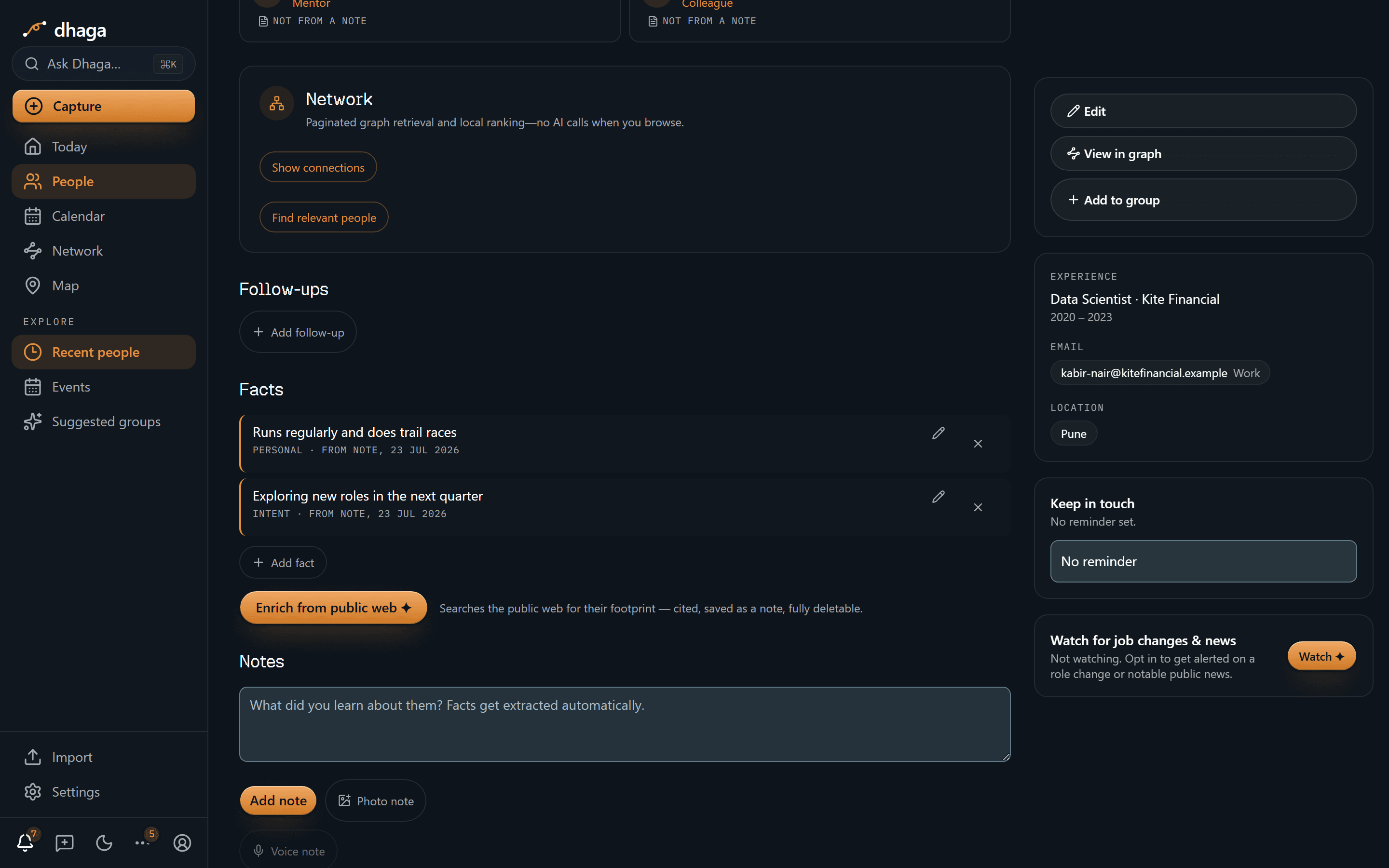
Sometimes you want more context on a person than your own notes hold. The Enrich from public web ✦ button on a person's page fetches it — on demand, never automatically.
What it does
Press the button and Dhaga searches the public web for that person's footprint. As the caption on the button says, it "searches the public web for their footprint — cited, saved as a note, fully deletable." Concretely:
- Findings come back cited — every claim links to where it was found.
- They're saved as a normal note on the person, just like one you'd write yourself.
- That note can, in turn, yield facts (each with its receipt).
- You can delete the note — and its derived facts tombstone with it — at any time.
The search plus extraction takes 20–60 seconds and runs in the background: the progress pill above the Facts section tracks it, it keeps running if you leave the page, and it finishes with a short confirmation of what was added. Go elsewhere in the meantime and the result finds you through the bell in the top nav — including when it turns up nothing, or fails.
Enrichment is a Pro-and-up feature, and the most expensive action in Dhaga at 20 credits — it pays for live web searches on top of the model. A free account's monthly allowance doesn't stretch to one, and wouldn't unlock the button even if it did.
You find that out before you press anything: on a plan that doesn't include enrichment the button is greyed out, with the reason beside it — "Enrichment requires a Pro or Power plan." — rather than accepting the click and failing afterwards. The same is true once a month's credits are gone, with that message instead. On a self-hosted instance nothing is greyed for a plan: there is no plan there, and every feature is included.
Companies too
The same button sits on a company's page, and works the same way — it just looks for company-shaped information instead of a person's: what the organisation does, its industry, its size, where it's headquartered, funding or ownership, products, and notable recent news. The findings are cited, saved as a note on the company, and turned into company facts you confirm one tap at a time.
It costs the same 20 credits and needs the same plan. Researching a company is one action at one price — not a cheaper way into the same web searches.
You don't have to stay on the page. Either way the search and extraction belong to a background job: the page shows its progress while you're there, picks the job back up if you come back later, and offers a Retry if it stopped without finishing. Pressing the button again while one is still running tells you so and reuses the job that's already going — it never starts a second search, so it never costs you a second 20 credits.
Privacy
Enrichment is always user-triggered. Dhaga never reaches out to the public web about a contact or a company on its own or in the background — you press the button, for one person or one company, each time. That keeps enrichment consistent with the rest of the product: no silent data collection.
Requires an AI provider that can search the web
Enrichment asks the LLM provider to run its own web search, so all it needs is Claude configured (or another AI provider that can search the web). Corrected 2026-08-08: this note used to say enrichment needed a separate search provider configured. It does not — that setting selects the search gateway used by the nightly job-change/news sweep, which is a separate path. On a self-hosted enterprise deployment your administrator configures both.