Share & invite
Wrapped turns your graph into a contact-free share card you can post anywhere; Invite friends gives you and a friend a free month of Pro.
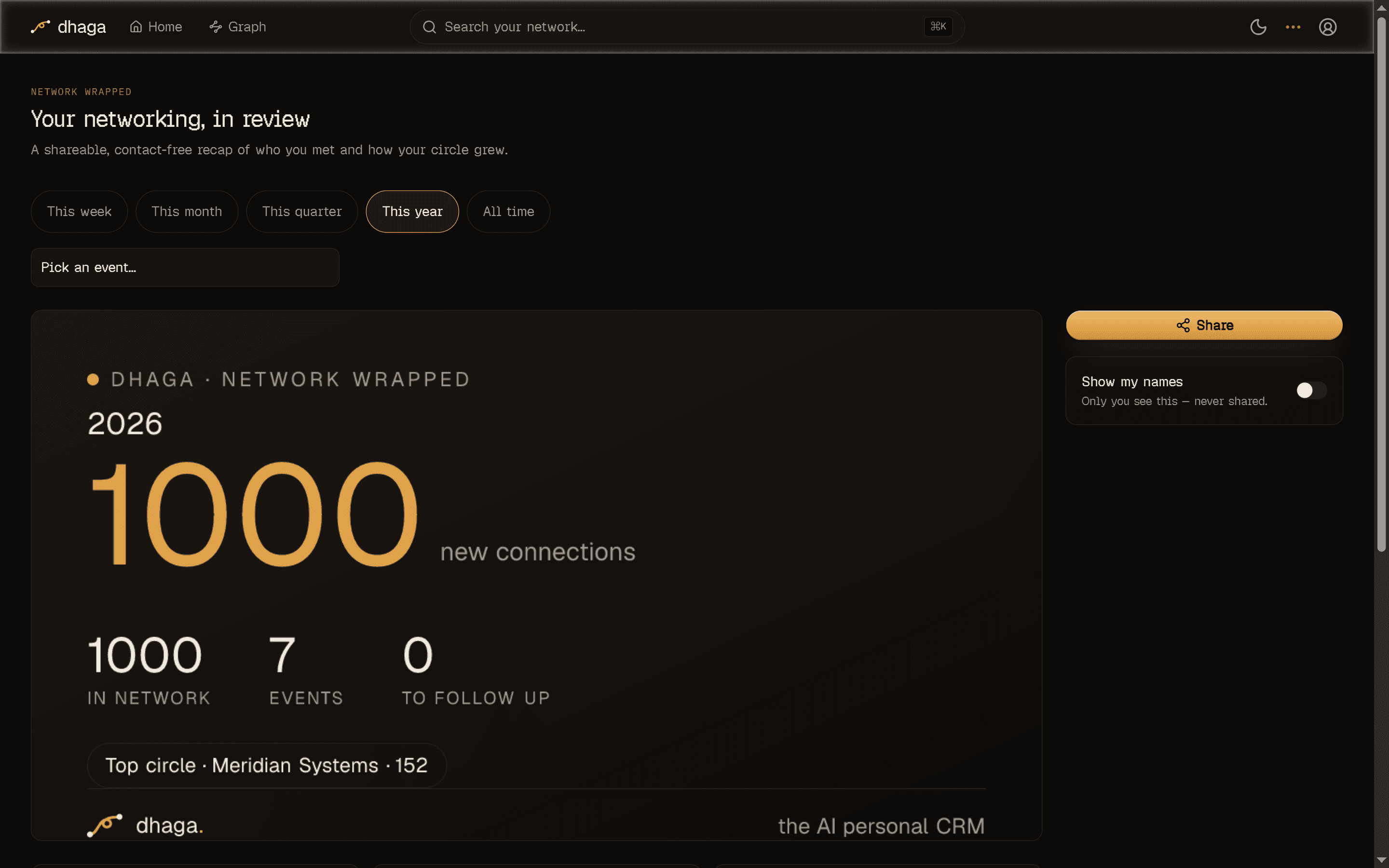
Network Wrapped
/app/wrapped (nav Wrapped) is a shareable, year-in-review-style recap of
your networking — "47 people met this month", "strongest cluster: fintech". Every
figure is computed deterministically from your own graph with plain SQL, so
there's no AI cost and nothing to meter. It's part of the core, and works the same
on a self-hosted instance.
- Pick a scope. The scope picker recaps a single event, or a rolling window — this week, this month, this quarter, this year (the default), or all time.
- Pick a format. Export the card as a Post (landscape), Square, or Story — the aspect ratios for a feed, a grid, or a full-screen story.
- Share it. Download the image, copy the public link, or hand off to your device's share sheet.
Names never leave your device unless you choose
The card is contact-free by construction: it shows aggregate counts and category superlatives only. The two name-bearing figures — your top company and most-connected person — stay hidden behind a Show my names toggle that reveals them in-app, for you only. They never enter the share token, the link, or the image, so a card you post leaks nothing about the people in your graph.
Invite friends
/app/referral (nav Invite friends) is a two-sided referral: share your
link and both you and the friend who joins get a free month of Pro. A valid
invite also admits them past the early-access wall.
A hosted Dhaga Cloud feature
Referrals live in the hosted Dhaga Cloud tier — they extend a subscription, which the core has no concept of, and a self-host is single-user anyway (there's nobody to refer). On a self-hosted instance the referral surface is simply absent. See Self-hosting.
Custom entities
Model the non-person things that connect your people — gyms, schools, projects — as custom entity nodes with their own types.
Settings & import
The Settings page — profile, billing, 2FA, calendar, suggestions, card-photo storage, voice engine and teaching, API keys — and importing your contacts from a file, a Google or Outlook connect, or your phone.